> ## Documentation Index
> Fetch the complete documentation index at: https://manual.muzemus.online/llms.txt
> Use this file to discover all available pages before exploring further.
# Store overview
> A snapshot of your store's uniform activity.
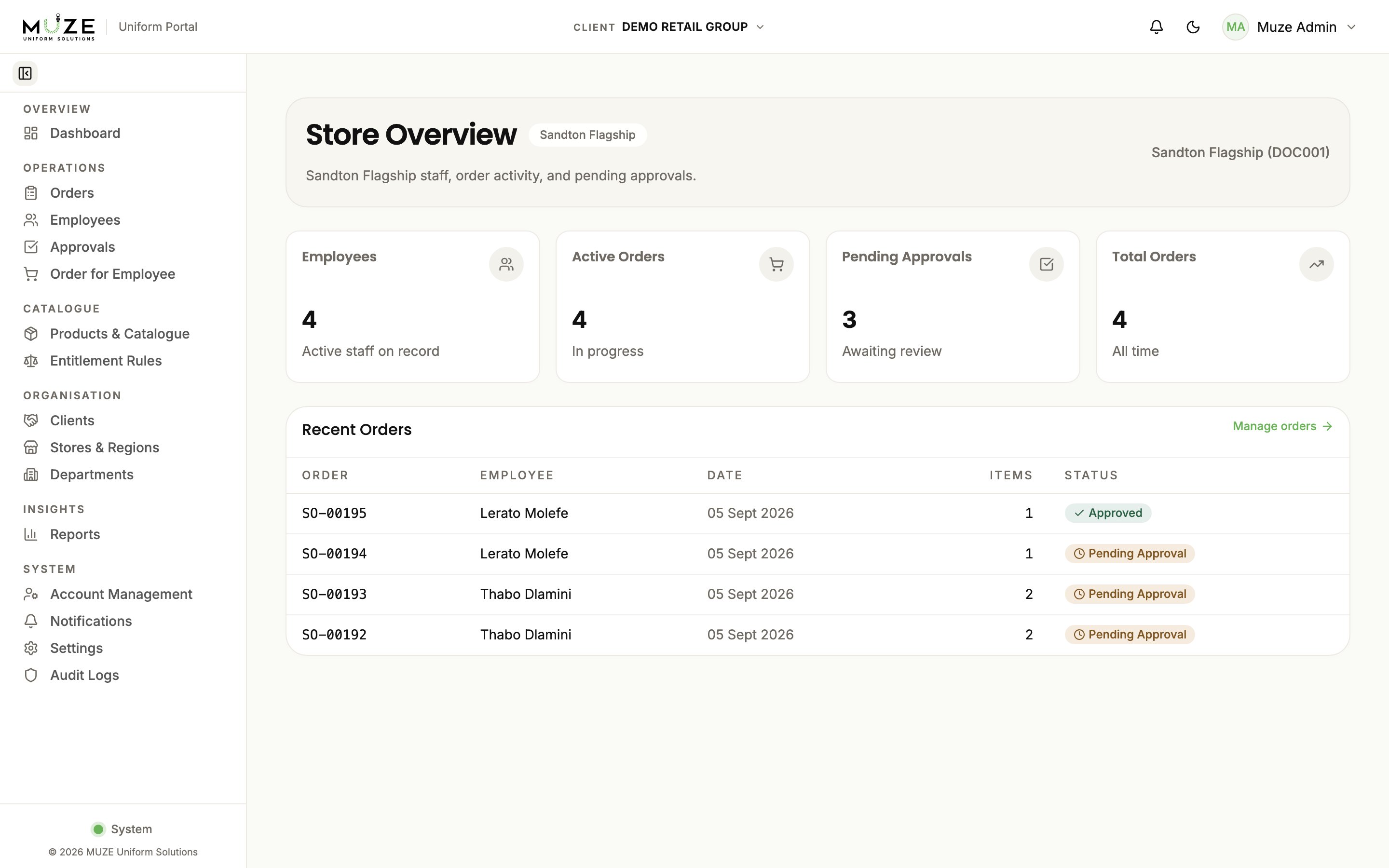
The Store Overview page summarises your store's uniform activity.
Navigate to **Store Overview** from the sidebar under **Overview**.
## Store details
* **Store number** and **name**
* **Region** assignment
* **Area manager**
* **Address**
## Store statistics
* **Total Employees**: employees assigned to your store
* **Active Orders**: orders currently in the production pipeline
* **Total Orders**: all orders ever placed for your store
## Recent orders
The most recent orders for your store, with order number, employee, current status, and submission date. Click any order to view its full details.
 ## Store selector
If you are assigned to multiple stores (unusual), a **store selector** lets you switch between them. With a single store it is selected automatically.
Everything on this page is scoped to your assigned store.
## Related topics
- [Store Manager overview](/store-manager/overview.md)
- [Navigation](/getting-started/navigation.md)
- [Reports overview](/reports/overview.md)
- [HR overview](/hr/overview.md)
- [Administrator overview](/administrator/overview.md)
## Store selector
If you are assigned to multiple stores (unusual), a **store selector** lets you switch between them. With a single store it is selected automatically.
Everything on this page is scoped to your assigned store.
## Related topics
- [Store Manager overview](/store-manager/overview.md)
- [Navigation](/getting-started/navigation.md)
- [Reports overview](/reports/overview.md)
- [HR overview](/hr/overview.md)
- [Administrator overview](/administrator/overview.md)