

Navigate to Store Overview from the sidebar under Overview.
Store details
- Store number and name
- Region assignment
- Area manager
- Address
Store statistics
- Total Employees: employees assigned to your store
- Active Orders: orders currently in the production pipeline
- Total Orders: all orders ever placed for your store
Recent orders
The most recent orders for your store, with order number, employee, current status, and submission date. Click any order to view its full details.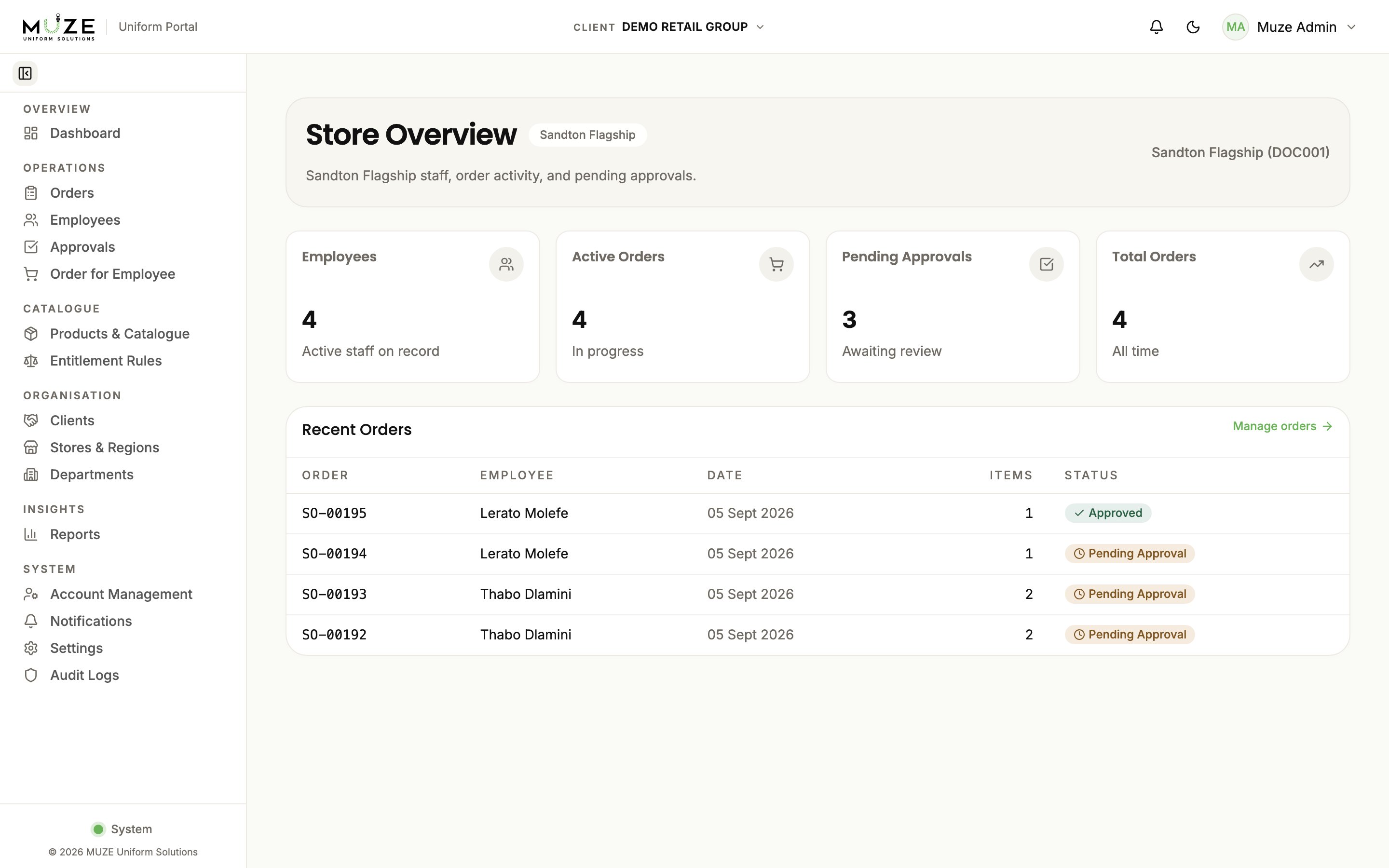
Store selector
If you are assigned to multiple stores (unusual), a store selector lets you switch between them. With a single store it is selected automatically.Everything on this page is scoped to your assigned store.